


Rating
Tasks
The Rating Task asks participants to rate something on a scale that you define, such as 1 to 5 or 1 to 10. It gives participants a quick way to share an opinion, score an experience, or respond to a question without needing to write a full answer. Use Rating Tasks for feedback, pulse checks, event evaluations, confidence ratings, or quick comparisons. They work well when you want structured responses that are easy to review across a large group.
How to Create Rating Tasks
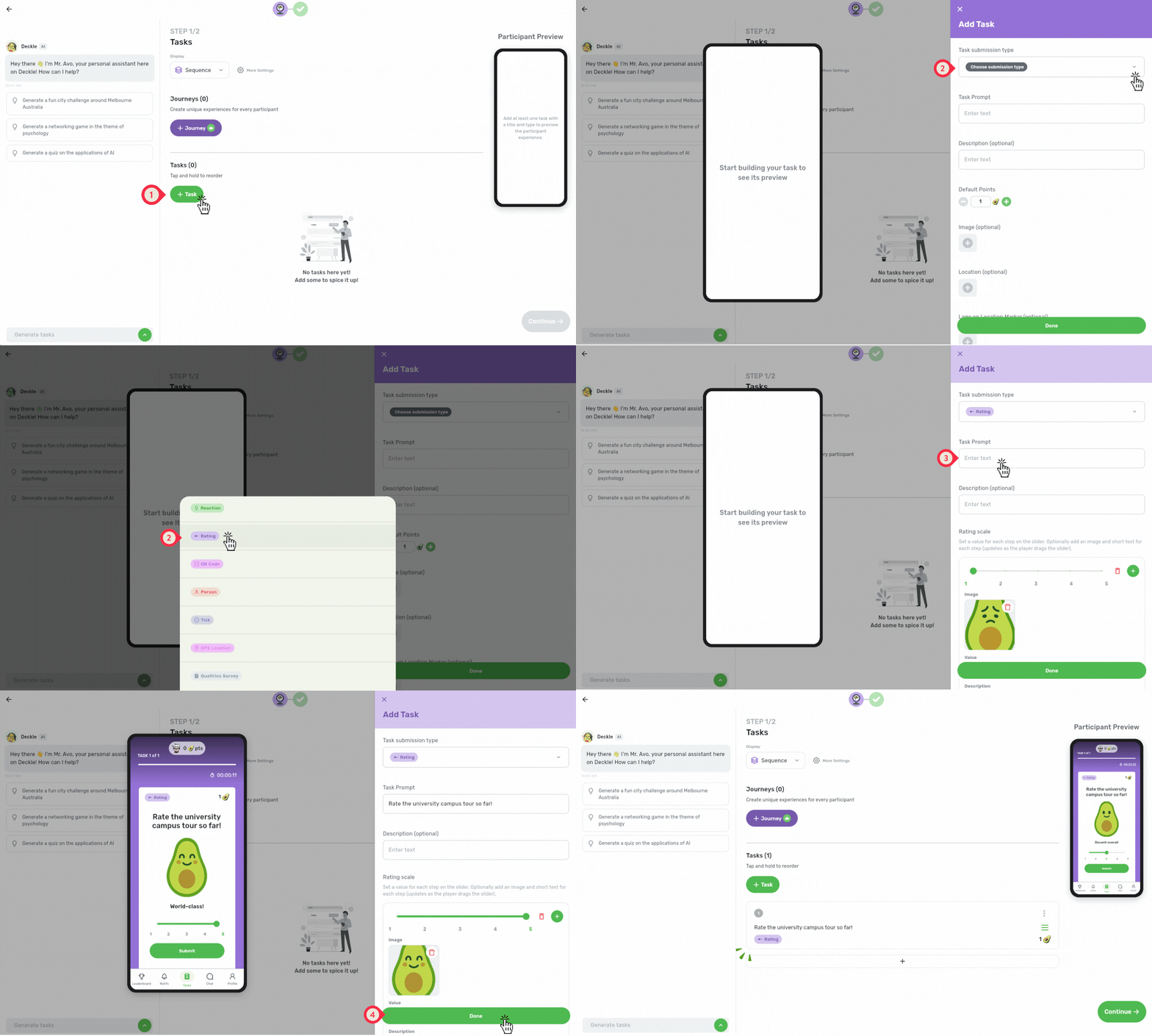
Step 1: Use the Web App on desktop for the best experience.
Step 2: Click on the "Create Event" button to begin

Step 3: Enter the Manage Tasks page.
Click + Task to begin.
Choose Rating as the task submission type.
In the Task Prompt, add a title to your task (e.g., “Rate the university campus tour so far!” or “What would you rate the campus facilities you have seen so far?”).
Click "Done" to save and add the task to your event!
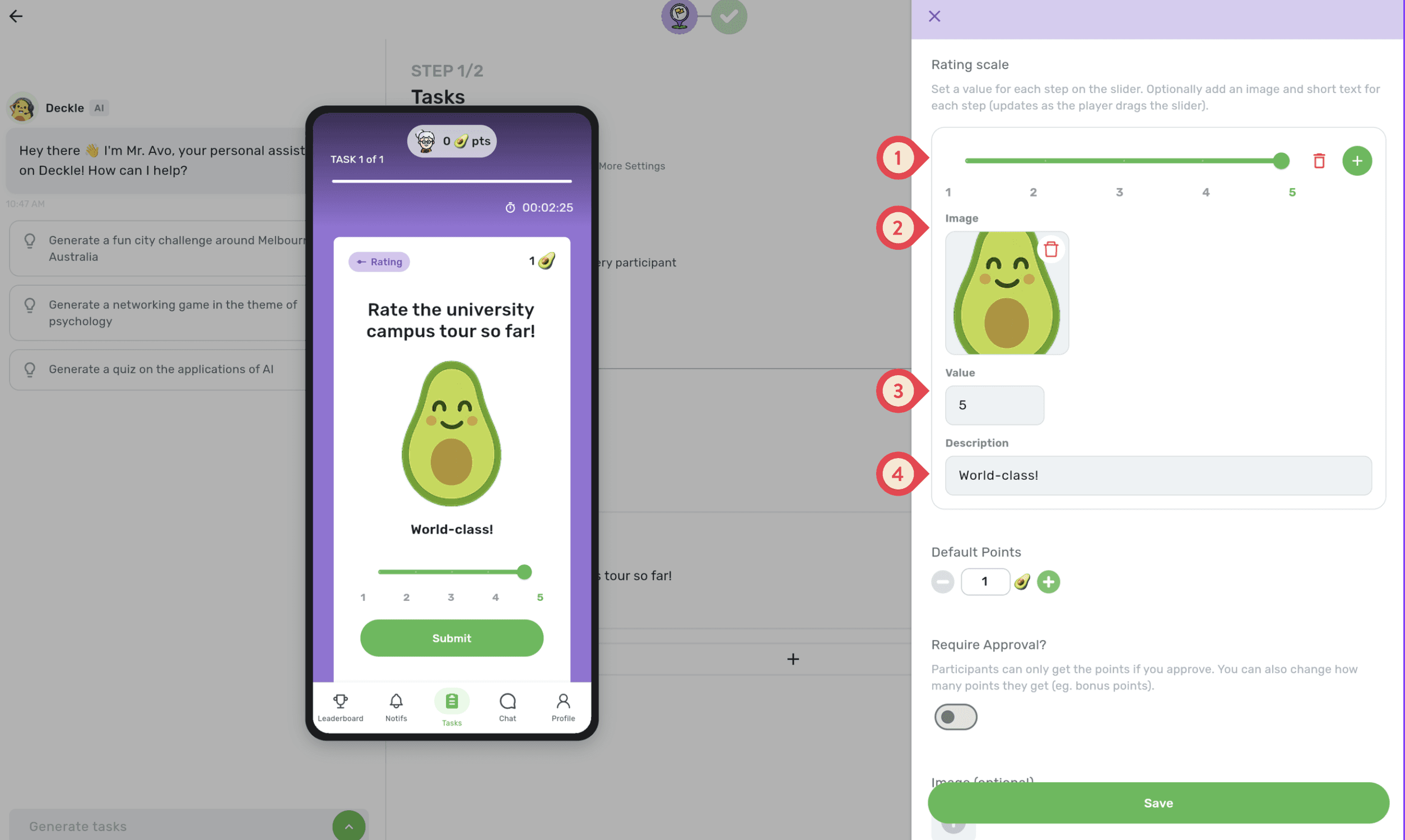
Step 4: Customise the participants' experience!
Add or remove rating values to build your scale
Add a custom, fun image for each value
Set the value for each point on the scale
Add a short description to explain what each value means
Examples to inspire you!
🎓 Rate the Orientation Session
Task Prompt: How useful was today’s orientation session?
Example values and descriptions:
1 - Not very useful
2 - A little useful
3 - Helpful
4 - Very helpful
5 - Extremely useful
Ideas to try:
Use descriptions to explain what each rating means
Use the finish screen to link participants to follow-up resources
🏢 Rate the Workshop
Task Prompt: How confident do you feel applying what you learned today?
Example values and descriptions:
1 - Not confident yet
2 - Still learning
3 - Fairly confident
4 - Confident
5 - Ready to apply it
Ideas to try:
Use descriptions to make the scale more specific to the workshop
Add custom images for each confidence level to make it more fun!
Use the finish screen to link participants to follow-up resources
