


Qualtrics Survey
Tasks
Getting people to actually complete surveys can be hard. The Qualtrics Survey Task brings your survey directly into the Deckle experience, so participants can open and complete it as part of the event. Use it for detailed feedback, research, registrations, evaluations, or any survey you already manage in Qualtrics. It keeps everything in one flow and removes the need to send participants off looking for a separate link.
How to Create Rating Tasks
Step 1: Use the Web App on desktop for the best experience.
Step 2: Click on the "Create Event" button to begin

Step 3: Enter the Manage Tasks page.
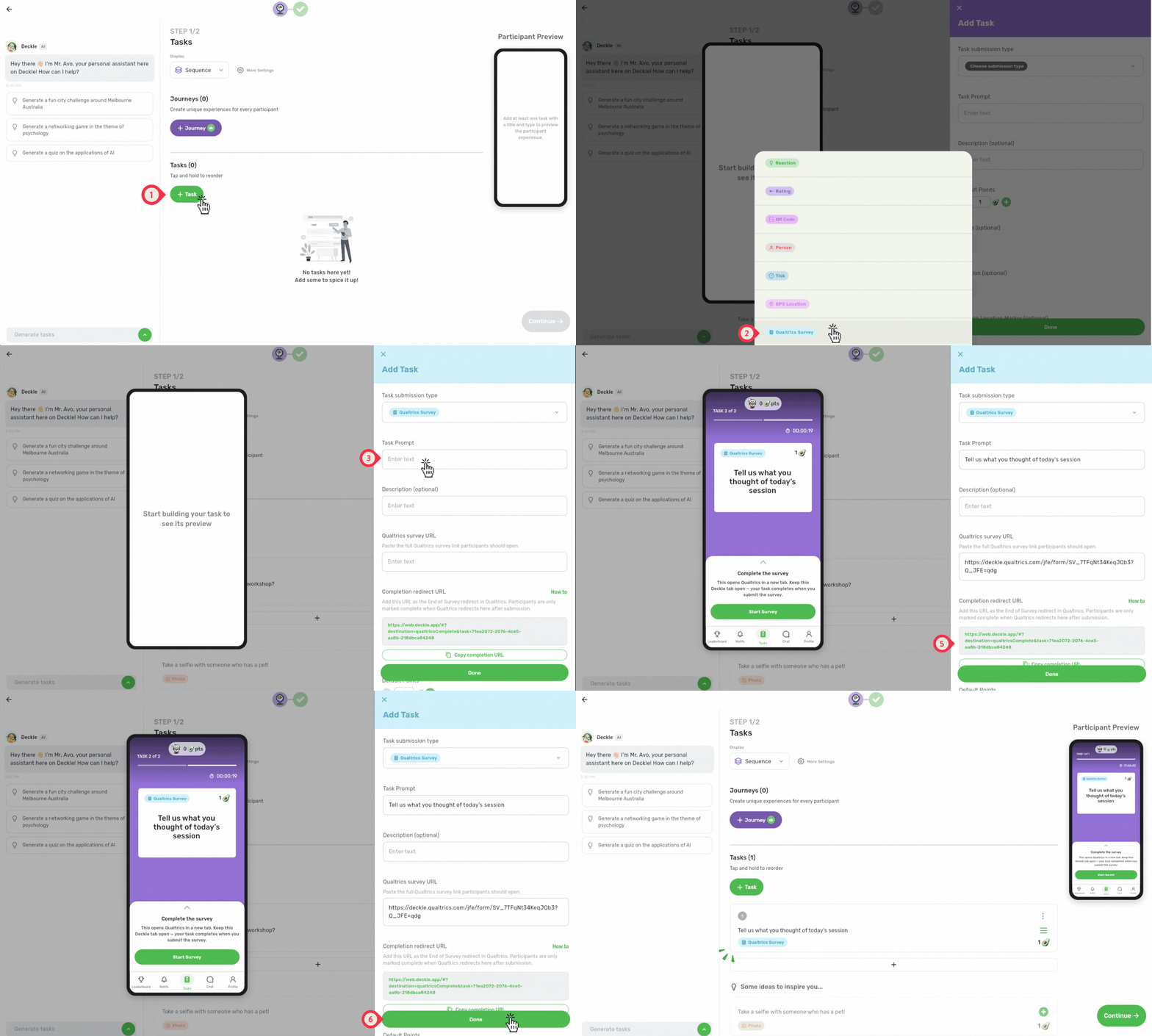
Click + Task to begin.
Choose Qualtrics Survey as the task submission type.
In the Task Prompt, add a title to your task (e.g., “Complete the Workshop Feedback Survey”).
Add your Qualtrics survey link.
Ensure that on your Qualtrics Survey's end, you have added the redirect URL to make sure participants come back to Deckle and are marked as completed.
Click "Done" to save and add the task to your event!
Confirm that the redirect link has been added. Note: if this is not configured, your participants will not be marked as complete!
Step 4: Encourage survey completion
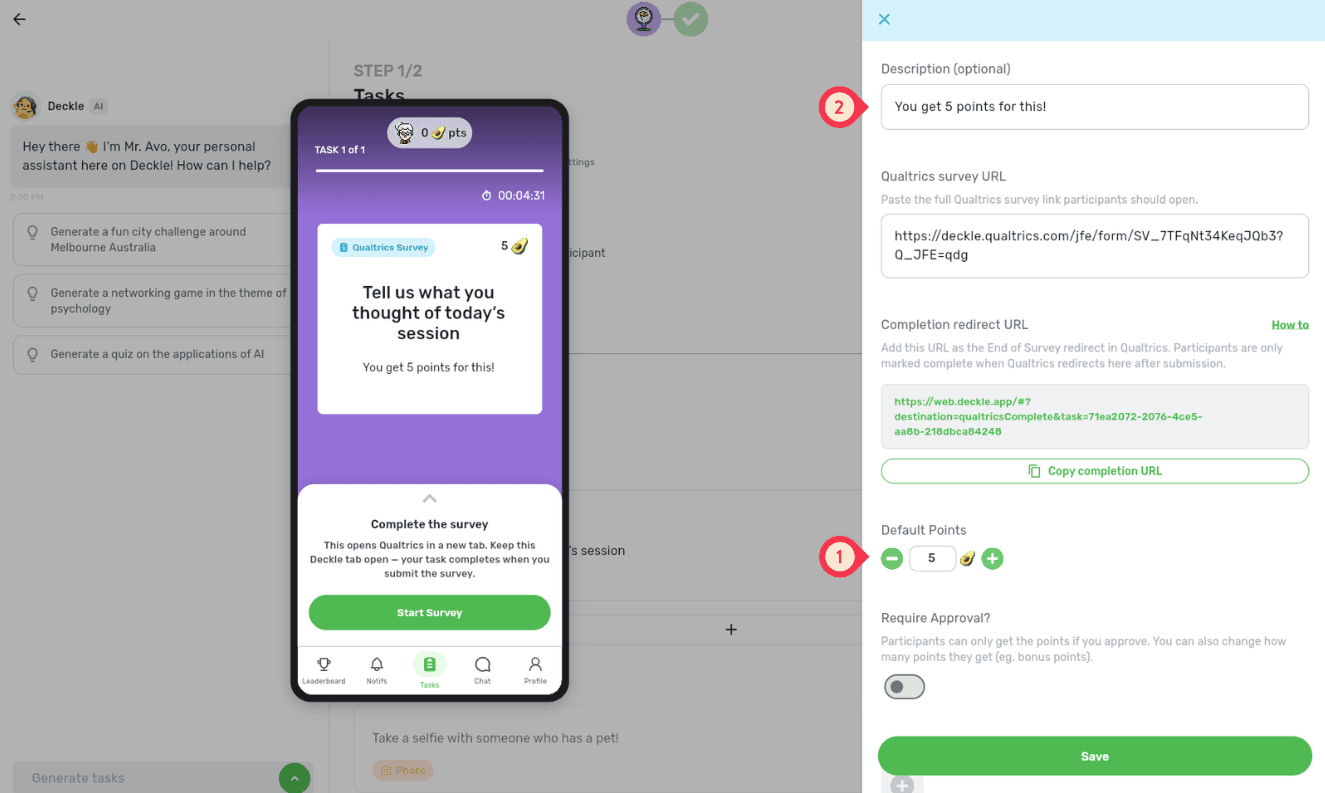
Increase the points to make the task more rewarding.
Mention the points in the description so participants know what they’ll earn.
Examples to inspire you!
📝 Complete the Workshop Feedback Survey
Prompt: Tell us what you thought of today’s session.
Description: Complete the short Qualtrics survey and get 10 points!
Ideas to try:
Use this after workshops, training sessions, or guest lectures
Keep the survey short if participants still have more tasks to complete
Ramp up the points to motivate your participants to complete the survey
🎓 Share Your Orientation Experience
Prompt: Help us improve orientation for future students.
Description: Complete this quick Qualtrics survey about your experience so far.
Ideas to try:
Ask about confidence, belonging, navigation, or support services
Add the survey near the end of an orientation journey
🏢 Complete the Team Pulse Survey
Prompt: How is the team feeling this week?
Description: Take a minute to complete the Qualtrics pulse survey before moving on.
Ideas to try:
Use it during onboarding, team days, or internal events
Ask about workload, confidence, communication, or team connection
Pair it with a Reaction Task for a quick response before the longer survey
